Demo store: a custom Shopify theme
Halfmile Grove
A demo Shopify store for a made-up Central Valley orchard pantry, built to show what a small food business's shop can feel like: an opening that sets the tone, small discoveries that reward a closer look, and product pages and a cart designed for phones first.
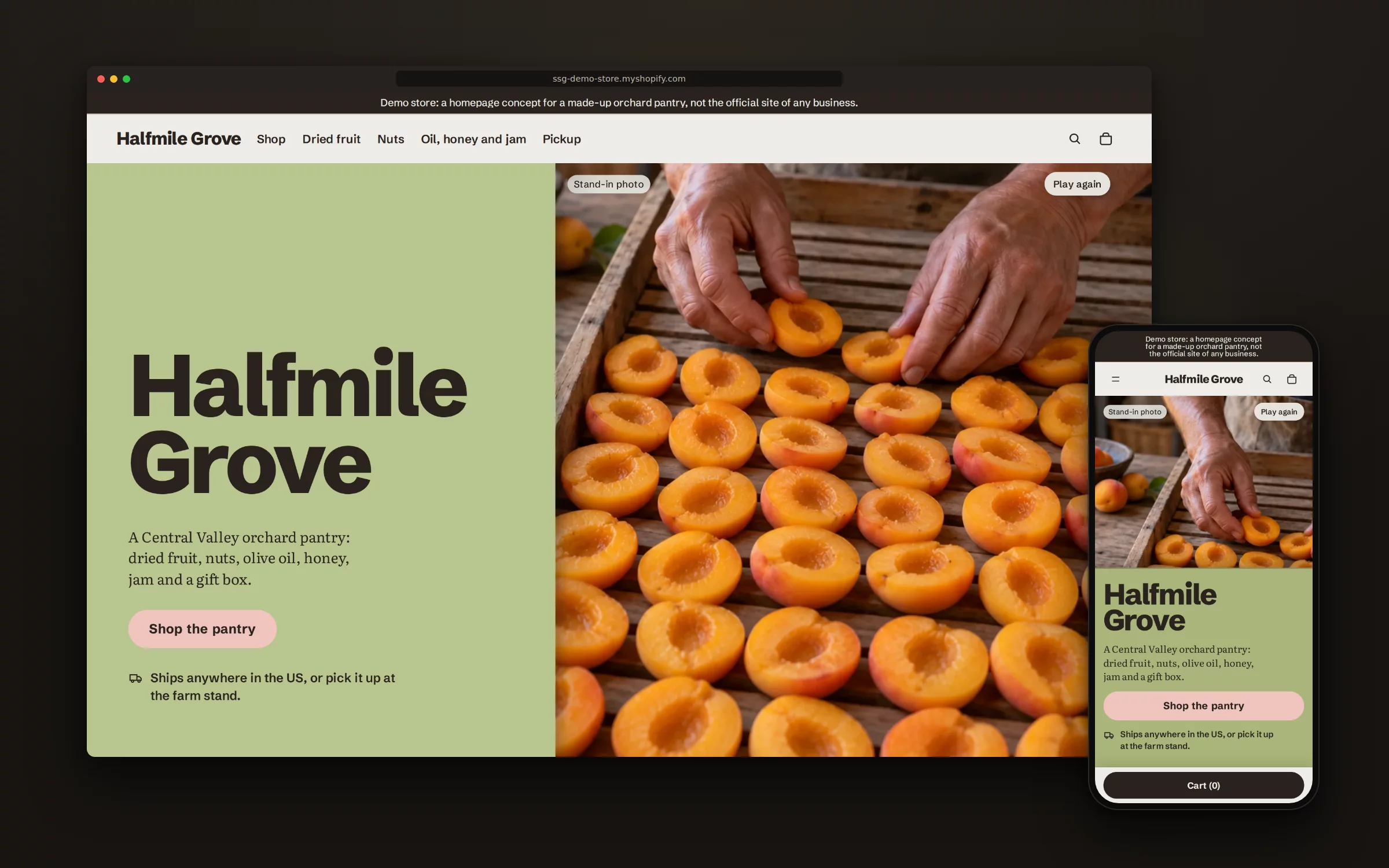
A demo store for a made-up business: sample products and prices, stand-in photos, checkout turned off.
What the project needed to do.
Halfmile Grove isn't a real business. It's a demo store for a fictional orchard pantry that sells dried apricots and peaches, almonds, walnuts, olive oil, orange blossom honey, jam and a gift box, so a business owner can click through a custom Shopify store instead of imagining one.
The brief was the same as for a real shop: say what the pantry sells and how to get it on the first screen, keep the cart one tap away, make product pages work on a phone, and give people a reason to stay a little longer. Every product, price and photo is a labelled sample, and checkout is switched off.
See it move. Recorded from the live demo: the home page and a product page on a desktop screen, then the same store on a phone.
Capabilities. The features that do the work, in plain terms.
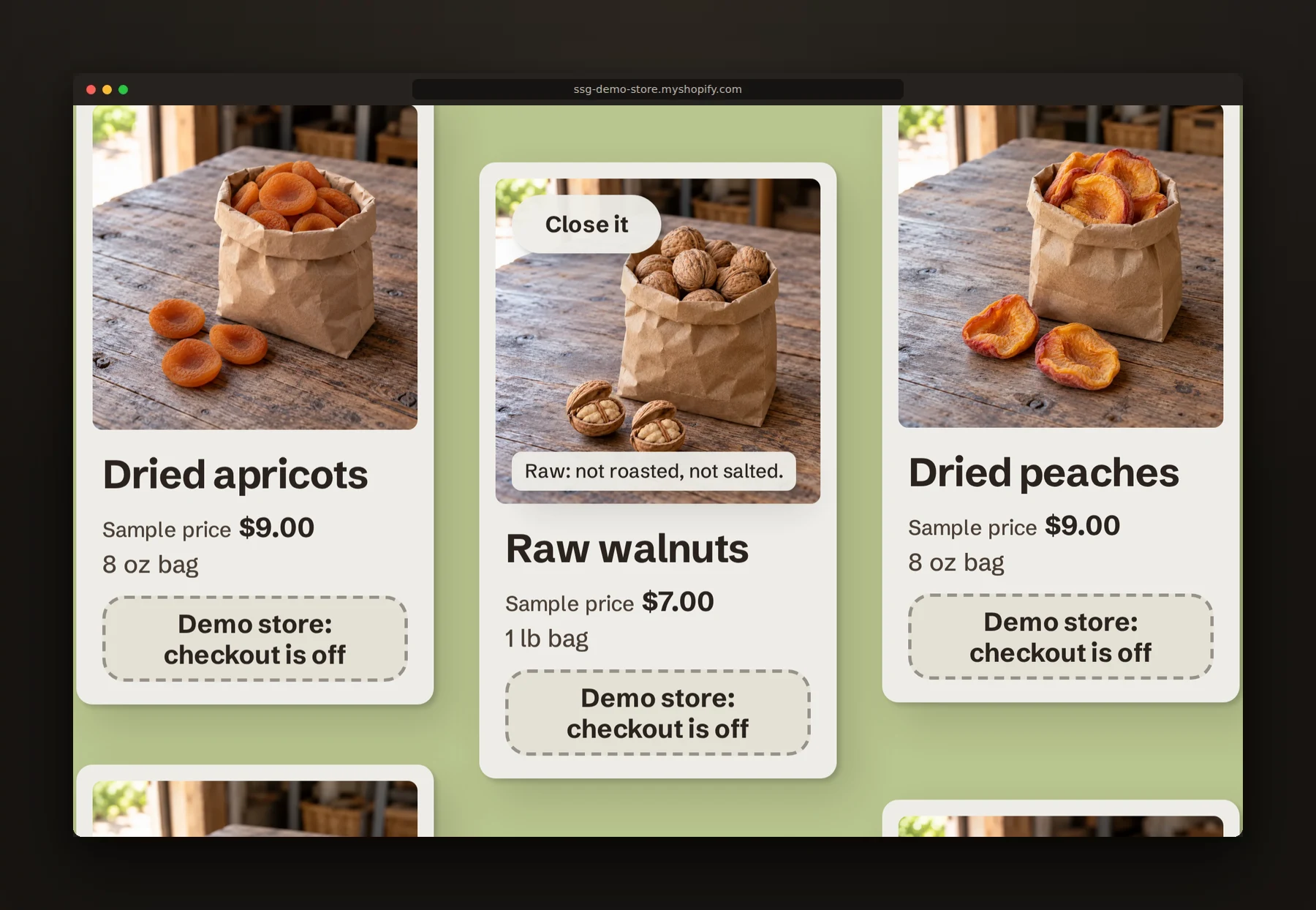
Crack a walnut
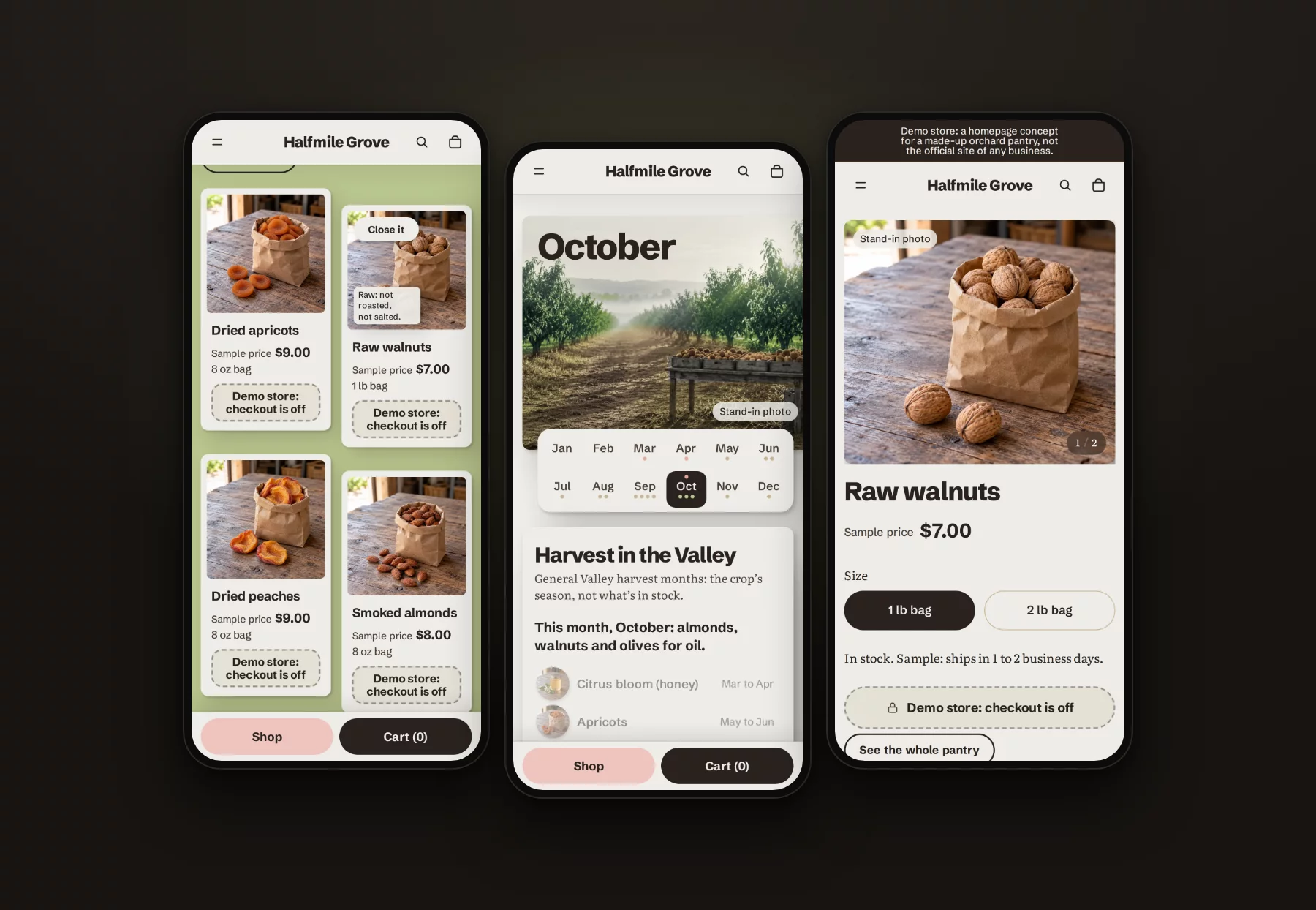
On the pantry shelf, a "Crack one" button on the raw walnuts swaps the photo for the same bag with a walnut cracked open, and says what raw means: not roasted, not salted. The product plates lean slightly toward the mouse pointer, and their shadows move with them.
The harvest year
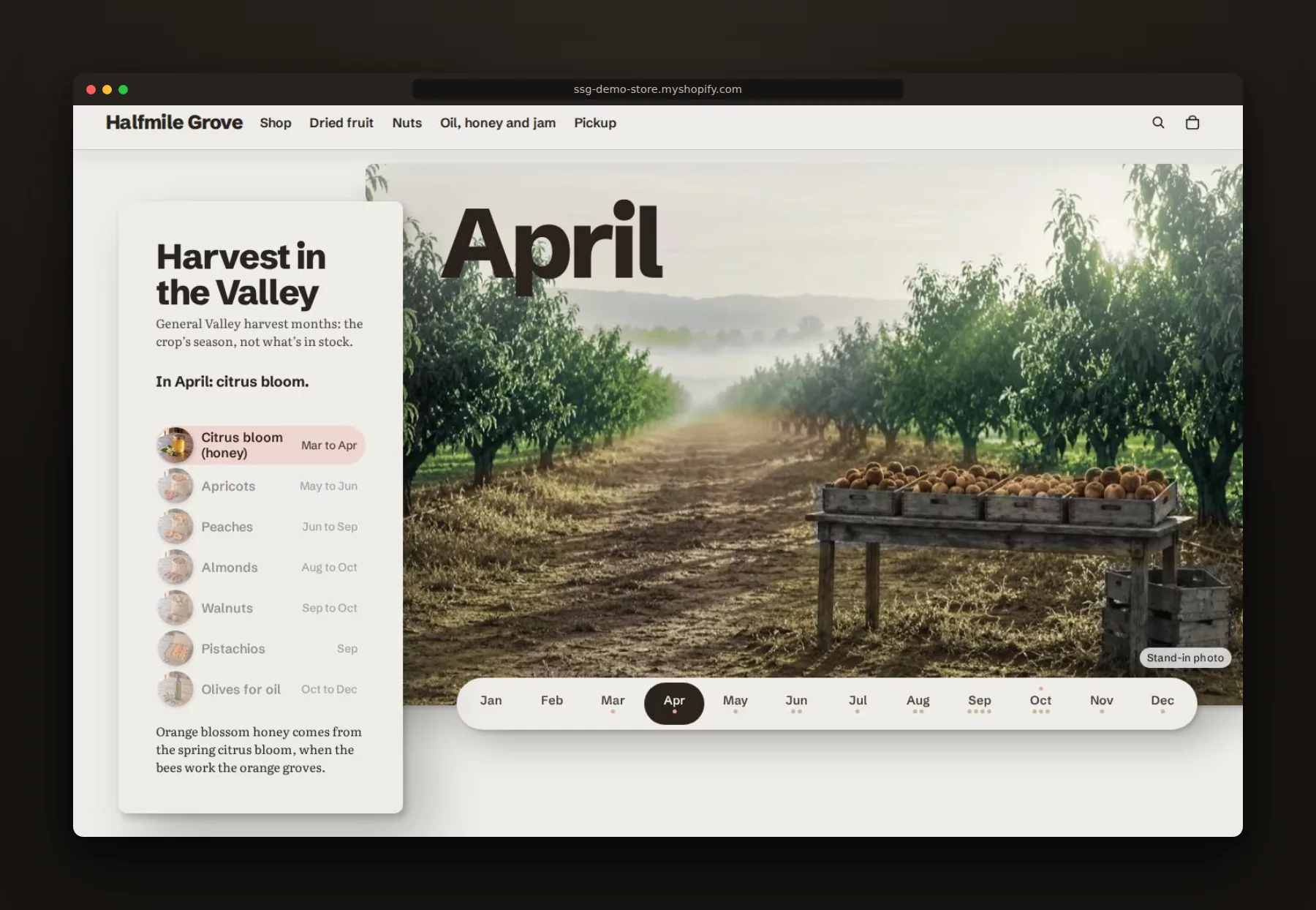
A month-by-month chart of the Valley's general harvest seasons opens on the current month and says what's in season now, beside an orchard photo that changes with the time of year. Orange blossom honey's spring bloom is picked out in its own color.
Ship it, or pick it up
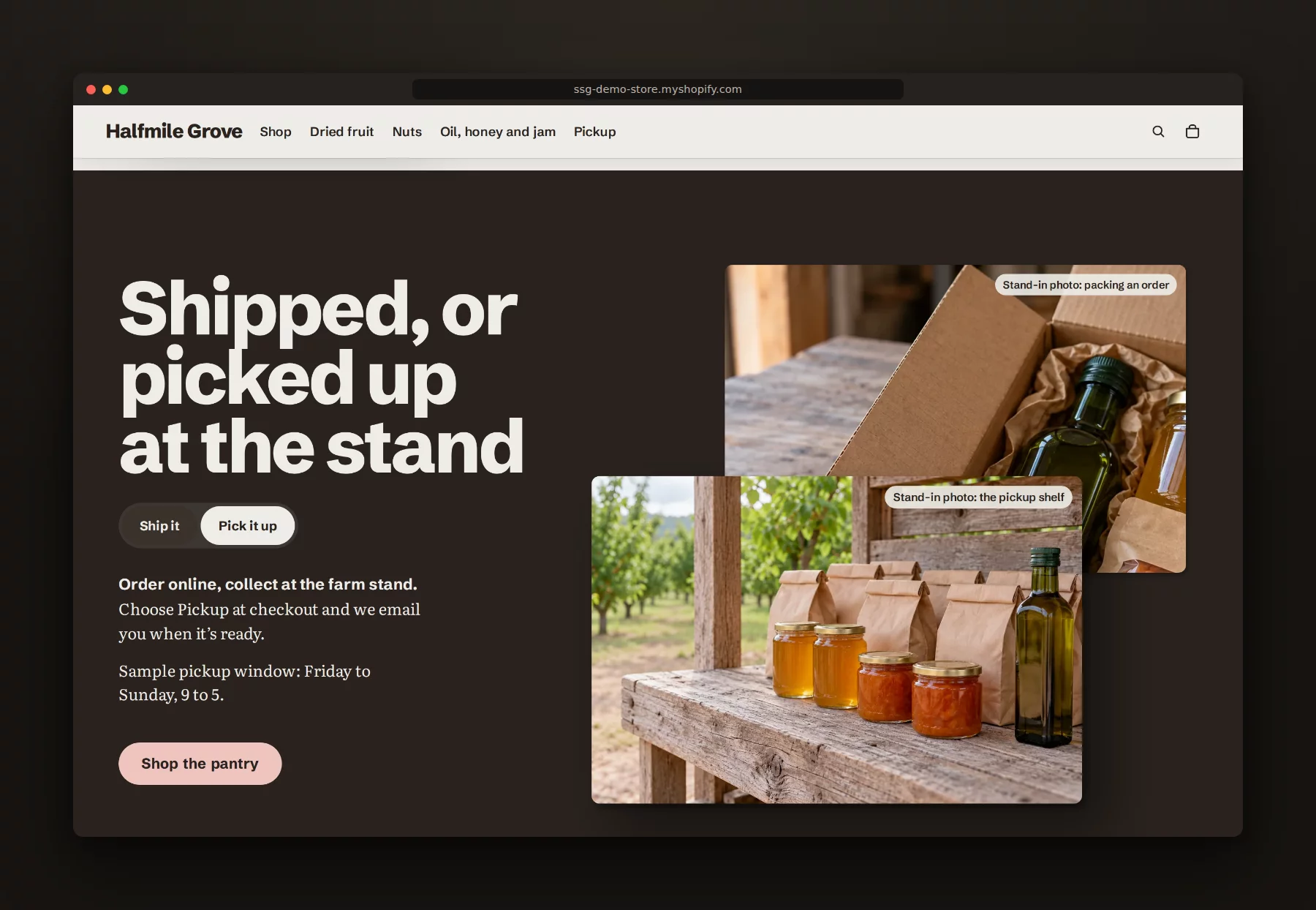
Two tabs answer the question every shopper has, how do I get it: shipping anywhere in the US, or ordering online and collecting at the farm stand. Switching tabs brings the matching photo to the front.
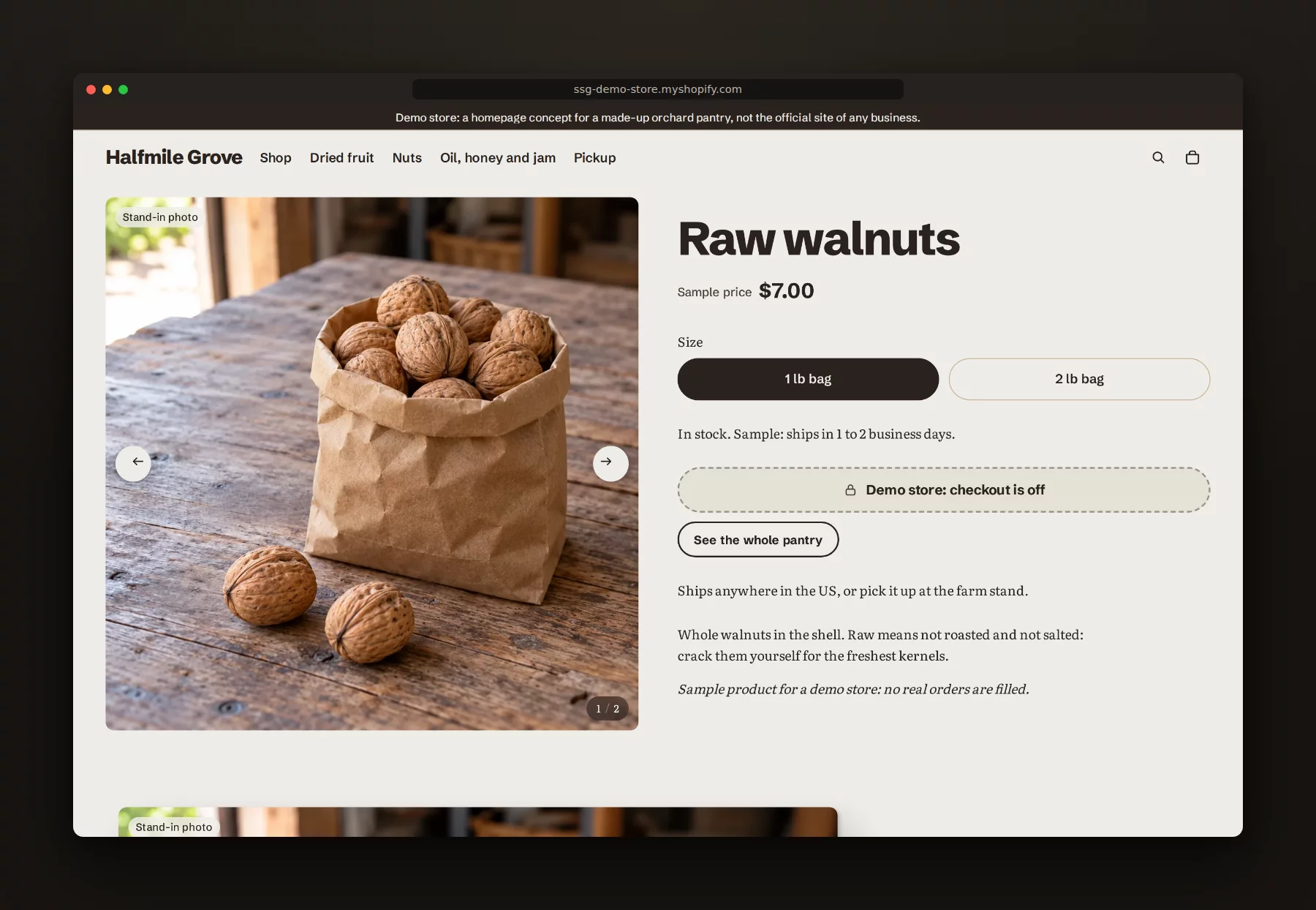
Product pages that work on a phone
Name, sample price, size choice, stock line and the buy area all sit above the fold on a phone screen. Below, each product shows its season and a photo of it in use, with more from the pantry underneath.
Phone first, throughout
Every screen was designed at phone size first. A slim bar keeps Shop and the cart within reach, every tap target is at least 44 pixels, and photos stay sharp on high-density screens.
An opening that sets the tone
On load, the store's name is cut out of the green field like a window onto a photo of apricots drying on a tray. The field slides aside to show the whole photograph while the letters settle into ink, in about a second and a half, and everything a shopper needs is on screen the whole time.
A cart that stays in context
The cart slides in over the page with notes on shipping and pickup and a short row of things that go with the order. In this demo, the cart and every buy button read "Demo store: checkout is off" instead.
Honest labels
Every price is labelled as a sample and every photo as a stand-in, and a line at the top and bottom of each page says it's a demo store for a made-up business.
What it connects to. Each connection replaces a manual step or a guess with something the system handles itself.
Shopify catalog
Every product, size, price and collection comes from the store admin, so they're edited in Shopify, not in code
Shopify theme editor
Sections and settings, including the demo-mode switch, can be changed without touching code
Product metafields
Each product carries its own scene photo, shown on its product page
Shopify cart
The cart drawer and the header count run on Shopify's own cart
Shopify checkout
Shipping or farm-stand pickup is chosen at checkout, which is switched off for the demo
How it's built.
- Built as a custom theme on Shopify's Horizon theme architecture, with new sections for the opening, the pantry shelf, the drying tray, the harvest year, delivery and the footer, so the store stays editable from the Shopify admin.
- One small motion script with no animation library, loaded after the page. Every effect has a reduced-motion version that shows its end state straight away.
- Scripted checks on the home, collection and product pages at desktop and phone sizes: headings clear of the fixed header, no sideways scrolling, tap targets of at least 44 pixels, sharp images, and scrolling above 50 frames a second on a slowed-down phone.
- Fonts are served from the store itself and preloaded, and every page carries a noindex tag so the demo stays out of search results.
- Demo mode is a single theme setting that replaces every Add to cart and checkout button with a clear "checkout is off" state, and the store's test payments are switched off too, so no order can go through.
- Shopify
- Liquid
- Horizon theme
- JavaScript
- CSS
- Shopify CLI
Next project
Warrior Fitness Fresno
Have something similar in mind?
If a process is slowing you down, your software doesn’t fit, or you have a new project in mind, we’d like to hear about it.